Adobe Levels FYI: Salary Ranges and Career Tiers Explained

Quick note before you dive in: if you searched "adobe levels fyi" looking for Photoshop's Levels adjustment tool, that's a different topic entirely. Photoshop Levels is an image-correction feature that adjusts shadows, midtones, and highlights using a histogram. This article is about Adobe's job levels — the internal career taxonomy that determines titles, pay bands, and promotion criteria for engineers, PMs, designers, and data scientists.
"Adobe levels" refers to the company's internal job-leveling system, a numbered hierarchy that sets titles and compensation bands across every role family. If you're researching an offer or preparing for interviews, three sources do most of the work: Adobe Careers for official job descriptions, Levels.fyi for crowdsourced pay reports, and Salary Atlas for BLS-backed market benchmarks.
- Adobe Careers: Shows live job postings with title and seniority language you can use to infer the level.
- Levels.fyi: Aggregates self-reported total-compensation data by level, role, and location — the fastest way to see what engineers at each tier actually took home.
- Salary Atlas: Provides BLS-sourced wage data by occupation, useful for validating whether a crowdsourced figure is realistic against the broader labor market.
Your immediate next step: find your target level on Levels.fyi, cross-reference the title against an active Adobe Careers posting, and use Salary Atlas to check the BLS benchmark for your occupation category. *
Table of Contents
- How does Adobe's leveling system work?
- What does Adobe compensation actually include?
- Sample Adobe salary ranges by level and role
- How reliable is crowdsourced salary data like Levels.fyi?
- How to use level and comp data in interviews
- How Salary Atlas compares crowdsourced Adobe pay to BLS benchmarks
- Key Takeaways
- Why the level matters more than the title
- Salary Atlas gives you the market context recruiters won't
- Useful sources to consult next
- FAQ
How does Adobe's leveling system work?
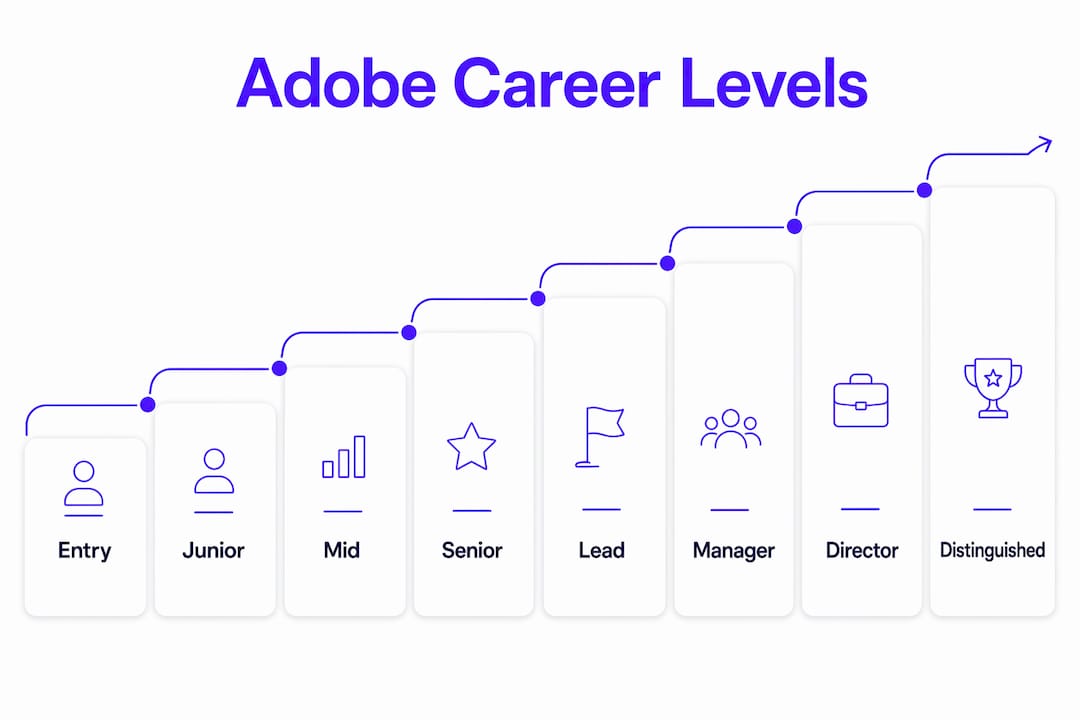
Adobe uses a numeric ladder for individual contributors (ICs) and a parallel track for managers. Engineering roles typically run from roughly L3 (entry-level) through L8 (distinguished engineer or fellow), though Adobe does not publish its internal numbering publicly. The practical mapping looks like this:
- L3 / Associate: New grad or early-career; works within defined scope under close guidance.
- L4 / Software Engineer: Independently owns features; expected to ship with minimal oversight.
- L5 / Senior Software Engineer: Leads projects, mentors L3/L4s, and drives cross-team coordination.
- L6 / Staff Engineer: Sets technical direction for a product area; impact spans multiple teams.
- L7 / Principal Engineer: Org-wide influence; defines architecture and long-term technical strategy.
- L8 / Distinguished Engineer / Fellow: Company-wide scope; rare, often externally recognized.
The management track branches off around L5/L6 equivalent, moving from Engineering Manager to Senior Manager, Director, and VP. Managers at the Director level and above often have compensation structures that include a heavier equity component.
Non-engineering roles — product management, design, data science — use parallel but non-identical labels. A Senior Product Manager typically aligns to roughly the L5/L6 band in terms of scope and pay expectations, though the exact mapping varies by team. When you're comparing a PM offer to an engineering offer, focus on scope of ownership and team size rather than the number itself.
 Pro Tip: When reading a job posting, look for ownership language. Phrases like "define the roadmap," "lead cross-functional teams," or "set technical strategy" signal L6 or above. "Collaborate with senior engineers" or "own a feature area" points to L4/L5. The seniority is almost always embedded in the responsibilities section, not just the title.
*
Pro Tip: When reading a job posting, look for ownership language. Phrases like "define the roadmap," "lead cross-functional teams," or "set technical strategy" signal L6 or above. "Collaborate with senior engineers" or "own a feature area" points to L4/L5. The seniority is almost always embedded in the responsibilities section, not just the title.
*
What does Adobe compensation actually include?
Adobe's total compensation has four main components, and understanding each one is what lets you compare offers on equal footing.
 1. Base salary. The fixed annual cash amount, paid bi-weekly. This is the number recruiters usually lead with, and it's the least negotiable component at senior levels — Adobe's bands tend to be tighter at L6+ because equity does more of the work.
2. Annual bonus. Adobe offers a performance-based bonus, typically expressed as a percentage of base salary. Target bonus percentages increase with level. At L4/L5, targets commonly run in the 10–15% range; at L6 and above, they can reach 20% or higher. Whether the bonus pays out at, above, or below target depends on both company and individual performance.
3. Restricted Stock Units (RSUs). Adobe grants RSUs that vest over a four-year schedule, commonly with a one-year cliff and quarterly vesting thereafter. The grant is expressed as a dollar value at the time of offer, then converted to shares. Because Adobe's stock price fluctuates, the actual value at vesting differs from the grant value — in either direction.
4. Sign-on bonus. Common at L4–L6 for candidates coming from competing offers. Sign-ons are typically one-time payments and often come with a clawback clause if you leave within 12–24 months.
How to annualize total comp: Take your base, add your target bonus (base × bonus %), then add your annualized RSU value (total grant ÷ 4 for a standard four-year vest). A $180,000 base + $27,000 target bonus (15%) + $200,000 RSU grant ÷ 4 ($50,000/year) = $257,000 annualized total comp. Sign-ons don't count toward this number because they don't repeat.
Pro Tip: Always ask whether the RSU grant is the full four-year value or an annual figure. Recruiters sometimes quote the total grant; candidates sometimes hear it as annual. Confirming this one detail can change your perceived comp by 3–4x.
1. Base salary. The fixed annual cash amount, paid bi-weekly. This is the number recruiters usually lead with, and it's the least negotiable component at senior levels — Adobe's bands tend to be tighter at L6+ because equity does more of the work.
2. Annual bonus. Adobe offers a performance-based bonus, typically expressed as a percentage of base salary. Target bonus percentages increase with level. At L4/L5, targets commonly run in the 10–15% range; at L6 and above, they can reach 20% or higher. Whether the bonus pays out at, above, or below target depends on both company and individual performance.
3. Restricted Stock Units (RSUs). Adobe grants RSUs that vest over a four-year schedule, commonly with a one-year cliff and quarterly vesting thereafter. The grant is expressed as a dollar value at the time of offer, then converted to shares. Because Adobe's stock price fluctuates, the actual value at vesting differs from the grant value — in either direction.
4. Sign-on bonus. Common at L4–L6 for candidates coming from competing offers. Sign-ons are typically one-time payments and often come with a clawback clause if you leave within 12–24 months.
How to annualize total comp: Take your base, add your target bonus (base × bonus %), then add your annualized RSU value (total grant ÷ 4 for a standard four-year vest). A $180,000 base + $27,000 target bonus (15%) + $200,000 RSU grant ÷ 4 ($50,000/year) = $257,000 annualized total comp. Sign-ons don't count toward this number because they don't repeat.
Pro Tip: Always ask whether the RSU grant is the full four-year value or an annual figure. Recruiters sometimes quote the total grant; candidates sometimes hear it as annual. Confirming this one detail can change your perceived comp by 3–4x.
Location adjustments are real and significant. Adobe's Bay Area roles (San Jose, San Francisco) typically carry higher base salaries and larger RSU grants than equivalent roles in Austin, Seattle, or remote positions. The state-level wage data on Salary Atlas gives you a quick read on how regional labor markets differ, which is useful context when a recruiter quotes you a number for a non-Bay Area role.
*Sample Adobe salary ranges by level and role
The table below shows sample ranges drawn from crowdsourced reports on Levels.fyi, supplemented with BLS occupational context from Salary Atlas. These are illustrative ranges, not guarantees. Actual offers depend on performance in interviews, competing offers, and hire date.
| Job Level | Role / Function | Sample Base Range | Typical RSU Grant (4-yr) | Common Bonus Target | Sample Total Comp Range |
|---|---|---|---|---|---|
| L3 / Associate | Software Engineer | — | — | 10% | — |
| L4 / SWE | Software Engineer | — | — | 10–12% | — |
| L5 / Senior SWE | Software Engineer | — | — | 12–15% | — |
| L5 / Senior | Product Manager | — | — | 12–15% | — |
| L6 / Staff SWE | Software Engineer | — | — | 15–20% | — |
| L7 / Principal | Software Engineer | $255K–$310K | — | 20%+ | $510K–$700K+ |
A few things worth flagging about this table:
- Wide bands at L6/L7 reflect genuine variance in RSU refresh grants, which senior engineers often receive annually on top of their original grant.
- PM and design roles at equivalent levels tend to show slightly lower total comp than engineering, primarily because RSU grants are smaller.
- Data scientist roles generally track close to the software engineering ladder at equivalent levels, though the title mapping can differ by team.
*
How reliable is crowdsourced salary data like Levels.fyi?
Crowdsourced pay data is genuinely useful, but it comes with structural biases you should understand before walking into a negotiation with a number from a forum.
Common sources of bias:- Self-selection: People who received exceptional offers are more likely to report. This skews averages upward, especially at senior levels.
- Outdated submissions: A report from two years ago may not reflect current market conditions, especially after tech-sector hiring slowdowns or equity market swings.
- Small sample sizes at niche levels: L7+ data points at any single company are sparse. A handful of outlier reports can move the median significantly.
- Mislabeled role families: Someone who self-reported as "L6 Software Engineer" may actually have been a technical program manager or a hybrid role — the taxonomy is self-reported.
- Sample size: more than 20–30 reports for a given level/role/location combination is a reasonable floor for confidence.
- Last-updated timestamp: prioritize reports from the past 12–18 months.
- Role and location filters: always filter to your specific function and metro area — national averages obscure the Bay Area premium.
- Verified submissions: Levels.fyi uses a verification process for some submissions; prioritize those when available.
- Corroborating sources: if the crowdsourced figure aligns with BLS benchmarks and active job postings, it's more credible.
How to use level and comp data in interviews
The data is only as useful as your ability to deploy it at the right moment. Here's how to structure the conversation.
 Validate the level first. Before discussing numbers, confirm what level the role is posted at. Ask the recruiter directly: "What level is this role mapped to internally?" If they're vague, ask for examples of comparable IC roles on the team and what their titles are. You need the level confirmed before any comp discussion is meaningful.
Ask about the comp mix explicitly. Once you have an offer, ask: "Can you break down the offer into base, RSU grant, and target bonus?" Some recruiters present a total-comp figure that includes an optimistic RSU projection — you want the components separately so you can annualize them yourself.
Confirm RSU vesting details. Ask: "Is this a four-year vest with a one-year cliff, or a different schedule?" Also ask whether there are annual refresh grants and, if so, what the typical refresh looks like at this level.
Clarify whether the bonus is target or discretionary. Target bonuses have a defined percentage; discretionary bonuses can be zero in a bad year. The distinction matters for your floor-case total comp calculation.
Pro Tip: The best time to ask about level is during the hiring manager interview, not after the offer. Asking "what does success look like at 12 months for this role, and how does that compare to the next level up?" surfaces level expectations naturally without making it feel transactional. By the time the offer comes, you've already anchored the conversation.
*
Validate the level first. Before discussing numbers, confirm what level the role is posted at. Ask the recruiter directly: "What level is this role mapped to internally?" If they're vague, ask for examples of comparable IC roles on the team and what their titles are. You need the level confirmed before any comp discussion is meaningful.
Ask about the comp mix explicitly. Once you have an offer, ask: "Can you break down the offer into base, RSU grant, and target bonus?" Some recruiters present a total-comp figure that includes an optimistic RSU projection — you want the components separately so you can annualize them yourself.
Confirm RSU vesting details. Ask: "Is this a four-year vest with a one-year cliff, or a different schedule?" Also ask whether there are annual refresh grants and, if so, what the typical refresh looks like at this level.
Clarify whether the bonus is target or discretionary. Target bonuses have a defined percentage; discretionary bonuses can be zero in a bad year. The distinction matters for your floor-case total comp calculation.
Pro Tip: The best time to ask about level is during the hiring manager interview, not after the offer. Asking "what does success look like at 12 months for this role, and how does that compare to the next level up?" surfaces level expectations naturally without making it feel transactional. By the time the offer comes, you've already anchored the conversation.
*
How Salary Atlas compares crowdsourced Adobe pay to BLS benchmarks
Crowdsourced figures and BLS figures measure different things, and knowing which to use when is what separates a well-prepared candidate from one who walks in with a number they can't defend.
Salary Atlas maps job titles to Bureau of Labor Statistics Occupational Employment and Wage Statistics (OEWS) codes and presents median wages, percentile ranges, and multi-year trends without a paywall. The methodology page explains how BLS codes are matched to common job titles and how the data is refreshed. Because BLS data covers the full labor market — not just self-selected high earners at top tech firms — the figures tend to be lower than Levels.fyi reports for roles at companies like Adobe. That gap is informative, not a flaw.
The table below shows how a mid-level software engineer role looks across both sources:
| Data Source | Role | Level / Category | Sample Total Comp Range | What It Measures |
|---|---|---|---|---|
| Levels.fyi (crowdsourced) | Software Engineer | L5 / Senior | — | Self-reported TC at top tech firms |
| Salary Atlas (BLS OEWS) | Software Developer | Median–75th pct. | — | Broad U.S. labor market, all employers |
- Crowdsourced (Levels.fyi): Use for offer-level negotiation at Adobe specifically. This is your anchor for the conversation with a recruiter.
- BLS via Salary Atlas: Use for market-level validation, long-term career planning, and understanding how Adobe's pay compares to the broader labor market. Also useful if you're evaluating offers from companies outside the top-tier tech bracket.
Key Takeaways
Adobe's job levels run from roughly L3 (entry) to L8 (distinguished), with total compensation at senior levels driven more by RSU grants than base salary, making annualized equity the most important figure to verify before accepting any offer.
| Point | Details |
|---|---|
| Confirm your level first | Ask the recruiter to name the internal level before any comp discussion — the number anchors everything else. |
| Annualize RSUs correctly | Divide the four-year RSU grant by four; never count the full grant as annual income. |
| Use two sources in negotiation | Levels.fyi for Adobe-specific ranges; Salary Atlas for BLS market context that's harder to dispute. |
| Location adjusts the numbers | Bay Area roles typically run 15–25% above equivalent remote or non-Bay Area offers at the same level. |
| Salary Atlas for benchmarking | Salary Atlas provides free, BLS-sourced wage data by job title and state — use it to validate market context before your interview. |
Why the level matters more than the title
Most candidates fixate on the job title. That's understandable, but at Adobe — and most large tech companies — the level number is what actually determines your pay band, promotion timeline, and the scope of work you're expected to own. A "Senior Software Engineer" at L5 and a "Senior Software Engineer" at L6 can have total compensation that differs by $100,000 or more, and the day-to-day expectations are genuinely different.
The crowdsourced data on Levels.fyi is most useful when you treat it as a distribution, not a single number. The 25th percentile tells you what a weak negotiator or a candidate with no competing offer walked away with. The 75th percentile tells you what someone with leverage and preparation achieved. Your goal is to understand which end of that range you're positioned for — and why.
One thing the data can't tell you is how Adobe's internal equity refresh grants compound over time. Engineers who stay at L6 for several years often accumulate refresh grants that push their realized annual comp well above what a new hire at the same level sees. That's worth asking about during the offer stage: "What does a typical annual refresh grant look like for someone performing well at this level?"
*Salary Atlas gives you the market context recruiters won't
Crowdsourced ranges tell you what Adobe has paid. What they don't tell you is how that compares to the broader labor market — the context that makes your negotiation defensible, not just assertive.
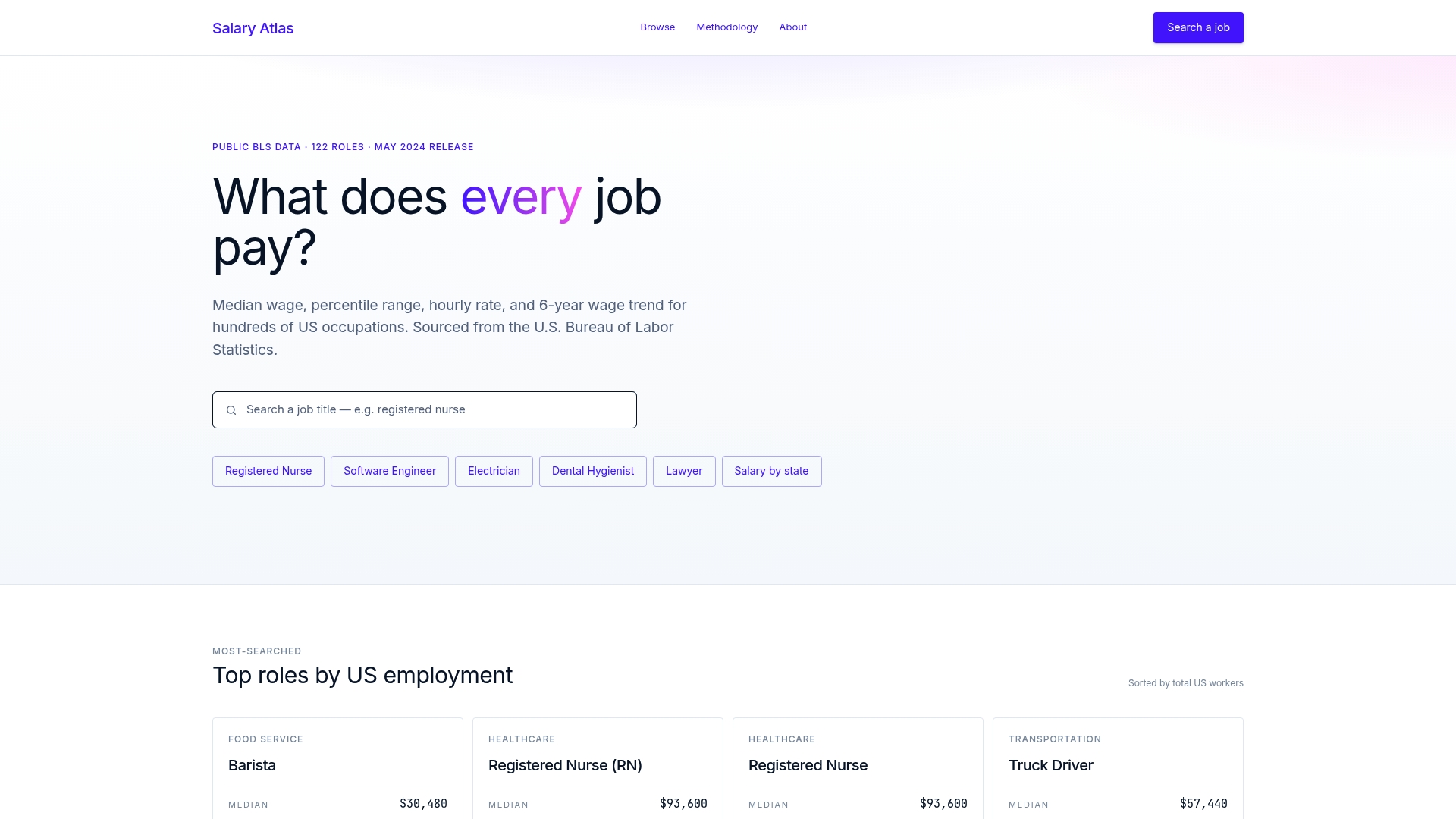
Salary Atlas publishes free, BLS-sourced salary data by job title, percentile, and state, with no paywall and no signup required. Every figure links back to its original BLS source, so you can walk into a recruiter conversation with numbers that carry institutional weight. Check the Salary Atlas job-title pages before your next interview to see median wages, percentile ranges, and multi-year trends for your occupation. For location-specific context, the state-level wage breakdowns show how Bay Area figures compare to national averages — useful when evaluating whether a remote-role offer is priced fairly relative to your local market.
*Useful sources to consult next
- Adobe Careers: Official job postings with title and seniority language; use these to infer level and confirm role scope. Check frequently — postings update as hiring needs change.
- Levels.fyi — Adobe Salaries: Crowdsourced total-compensation reports by level, role, and location. Filter by role family and metro area for the most relevant data points. Recheck every 6–12 months, as market conditions shift.
- Salary Atlas: BLS OEWS-backed salary data by job title and state, refreshed annually. Use for market-level benchmarking and to contextualize crowdsourced figures.
- Salary Atlas Methodology: Explains how BLS occupational codes are mapped to job titles and how percentile ranges are calculated.
- Photoshop Levels adjustment — Adobe Help: If you landed here looking for the image-editing tool, this is the official documentation for Photoshop's Levels histogram and slider controls.
- Color and tone adjustment — Adobe Help: Covers the eyedropper workflow for setting black, white, and gray points in Photoshop Levels and Curves.
FAQ
How much does an L7 engineer make at Adobe?
Based on crowdsourced reports on Levels.fyi, an L7 Principal Engineer at Adobe typically sees total compensation in the range of roughly $510,000–$700,000 or above, with the variance driven primarily by RSU grant size and annual refresh grants. Base salary at this level generally falls in the $255,000–$310,000 range.
What does a VP at Adobe make?
VP-level compensation at Adobe is not publicly disclosed, and crowdsourced data at that tier is sparse. VP roles carry significant equity components, and total compensation typically exceeds the L7 Principal Engineer range, though exact figures are not reliably documented in public datasets.
Is it difficult to get a job at Adobe?
Adobe's hiring process is competitive, particularly for senior engineering roles. The interview process typically includes multiple technical rounds, a system design interview, and behavioral assessments. Candidates who research the level expectations and comp structure ahead of time — using sources like Adobe Careers and Levels.fyi — tend to be better positioned to evaluate and negotiate offers effectively.
How do I find the right BLS benchmark for my Adobe role?
Use Salary Atlas to search your job title — for example, "software developer" or "data analyst" — and review the median and percentile ranges by state. The Salary Atlas data analyst page is one example of how the site presents median wages, ranges, and trends for a specific occupation, which you can use alongside Levels.fyi data to build a complete picture of market pay.
What's the difference between Levels.fyi data and BLS data for Adobe roles?
Levels.fyi captures self-reported total compensation from employees at top tech companies, which skews toward higher earners and may not reflect the full market. BLS data via Salary Atlas covers the entire U.S. labor market across all employer types, so figures are typically lower. Use Levels.fyi for Adobe-specific negotiation anchors and Salary Atlas for broader market validation.